Feature
A focused workspace where everything is clear, configurable, and predictable - built to support real use cases and long-term operation without getting in the way.
Build & Configure
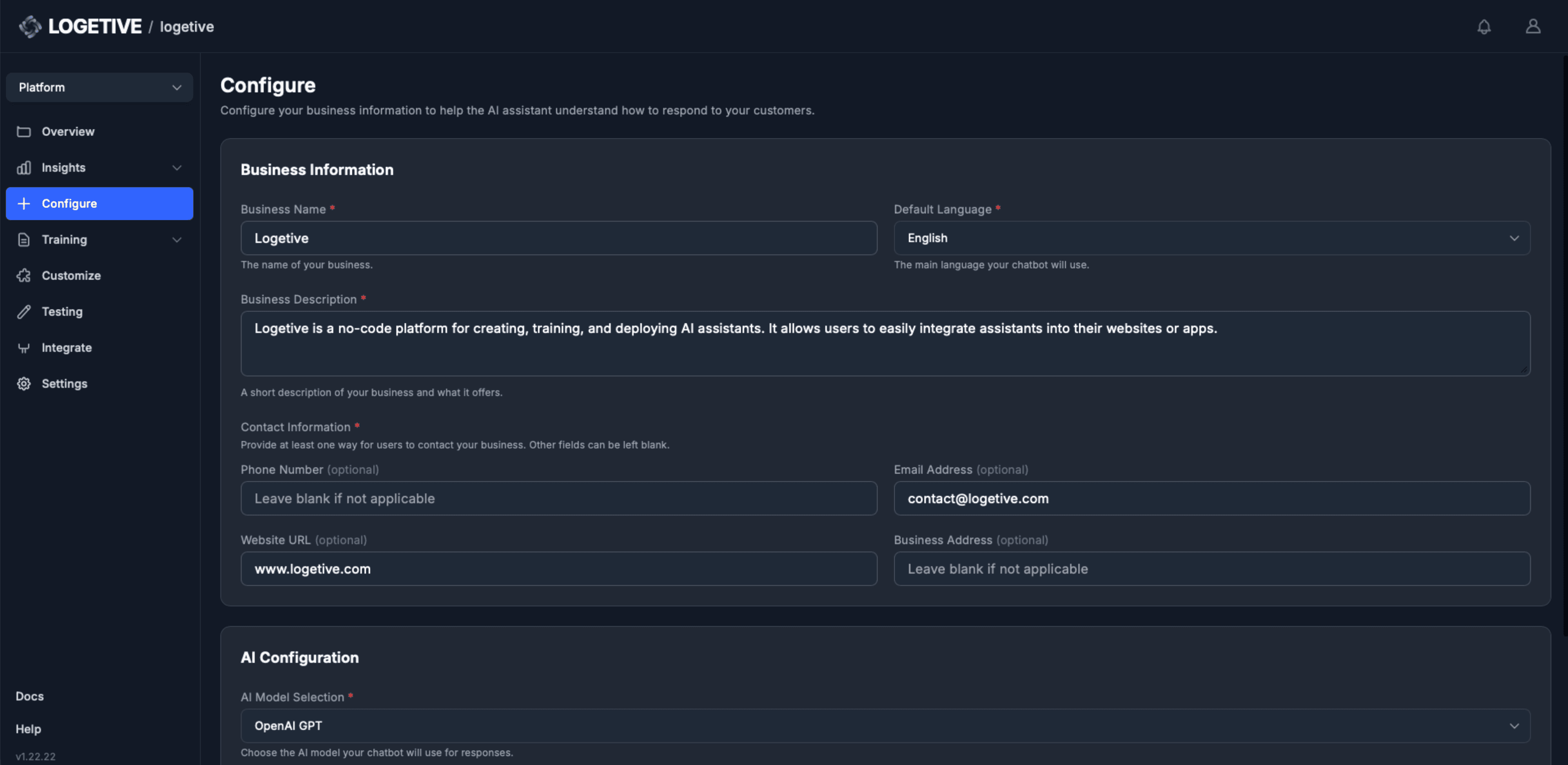
Business context
Set your organisation name and description so the assistant responds in your voice.
Model configuration
Select the LLM provider and adjust temperature and sampling parameters.
Per-assistant settings
Each assistant has its own configuration, switch and edit independently.
Language settings
Choose the default language for assistant responses.
Contact information
Add phone, email, website or address for the assistant to share when relevant.
Single configuration view
Manage all business and model settings in one place.
Leads Agent
The assistant creates leads from chat when it detects intent -
callback, demo, quote. Filter, update status, export to CSV.
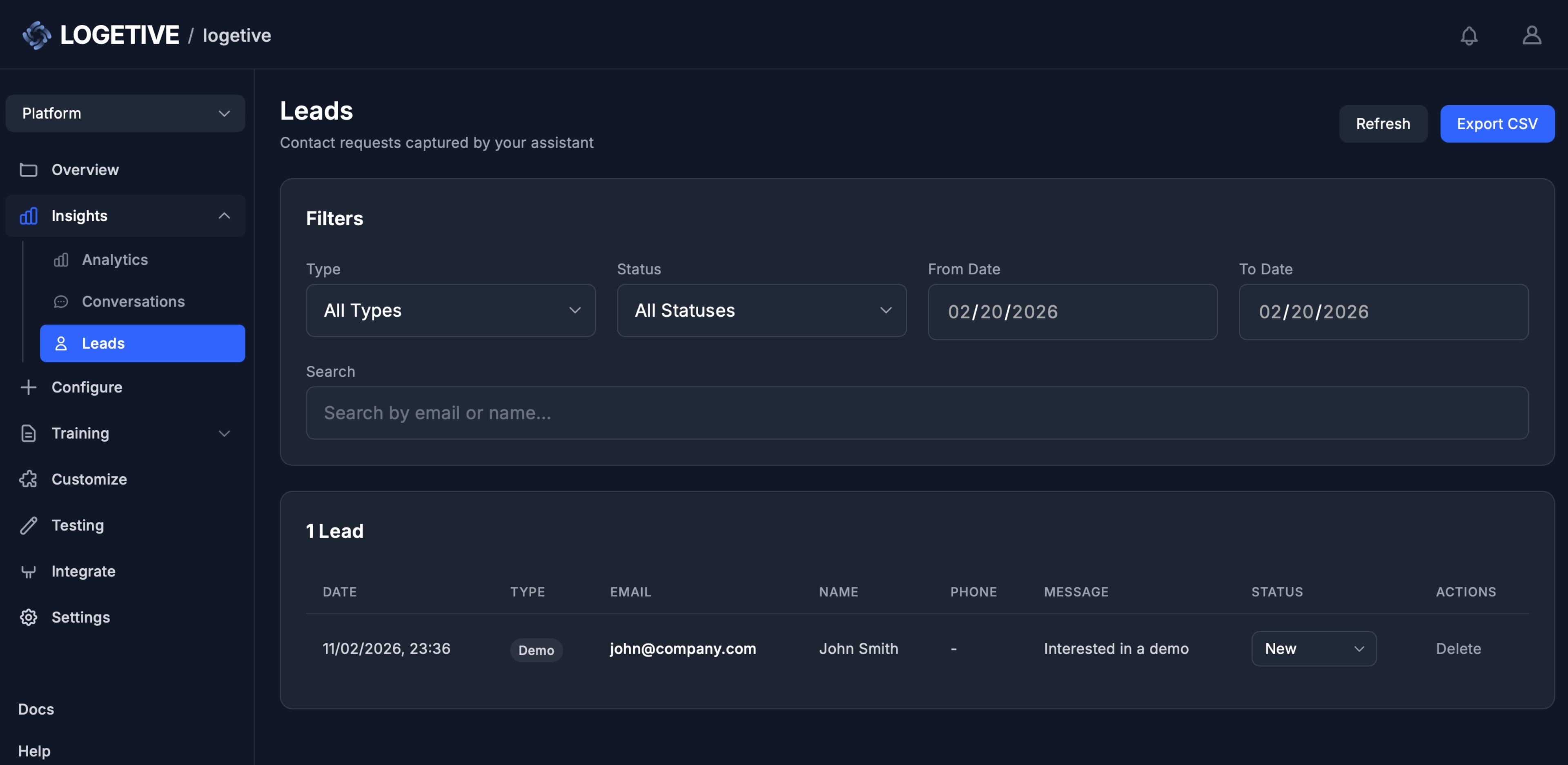
Intent-based capture
Created when the assistant detects intent in the conversation, no form.
In the flow of chat
Name, email, phone collected when the visitor is ready, in context, not a form.
Created at the right moment
Lead is created when it makes sense in the conversation, not at a fixed step.
Guides when it fits
On callback or demo request, the assistant asks for details in context, naturally.
Typed by intent
Demo, quote, callback, trial - each lead typed so you know why they reached out.
One place to follow up
All leads in one place with type and status, you follow up on your terms.
Train
Upload your documents. Content is indexed and
used as the source for assistant responses.
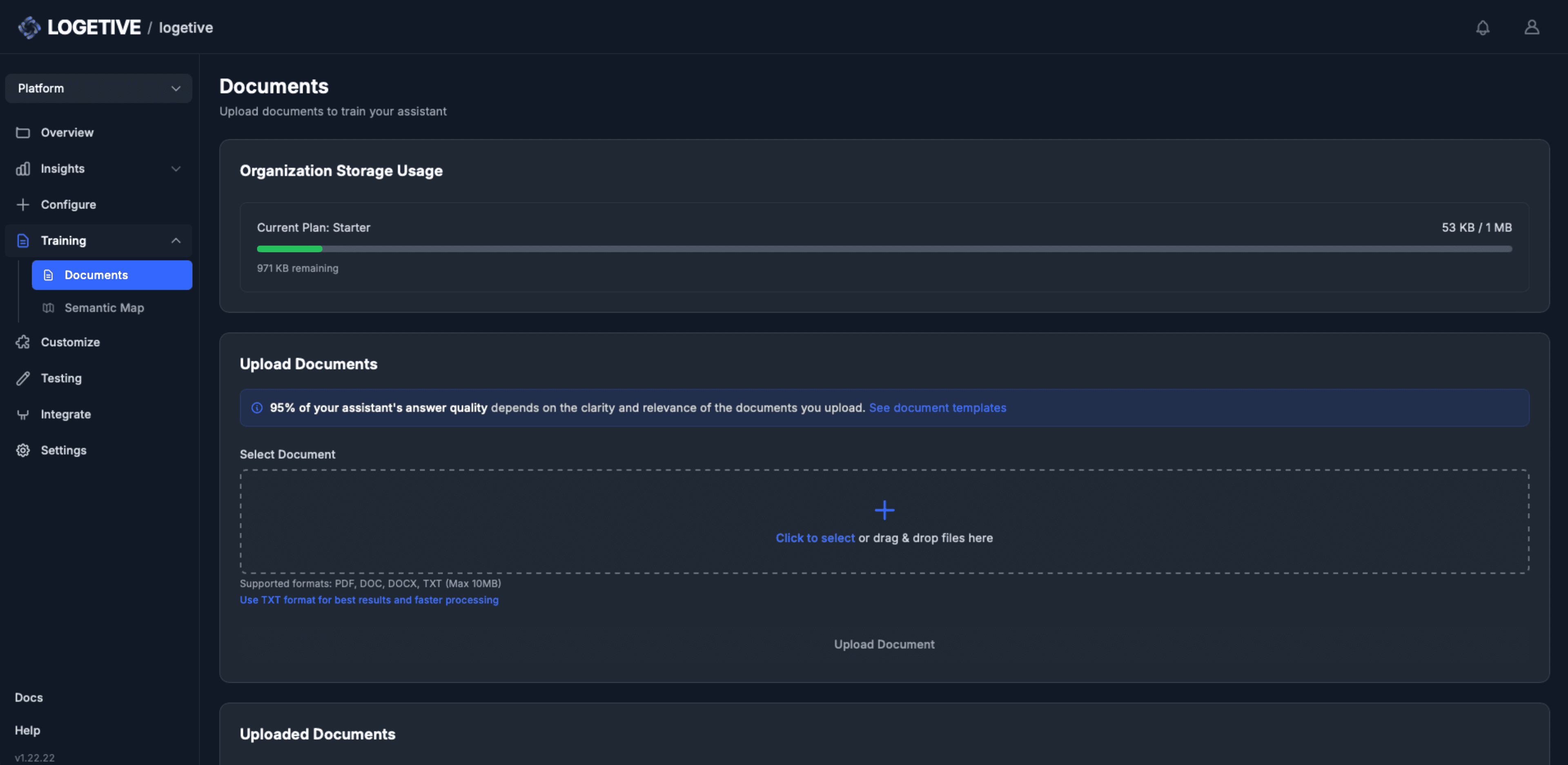
Document upload
Add PDF, DOC, DOCX or TXT files, the system ingests and indexes them automatically.
Automatic indexing
Content is chunked and embedded so the assistant can retrieve relevant passages.
Per-assistant knowledge
Each assistant has its own document set, training is isolated by assistant.
Storage visibility
See how much storage your documents use against your plan limits.
Source-grounded answers
Responses are generated from your uploaded content, not generic training data.
Document management
List, rename or remove documents, re-upload to update the knowledge base.
Customize
Set the widget’s theme, colours, position, greeting
and avatar so it fits your site.
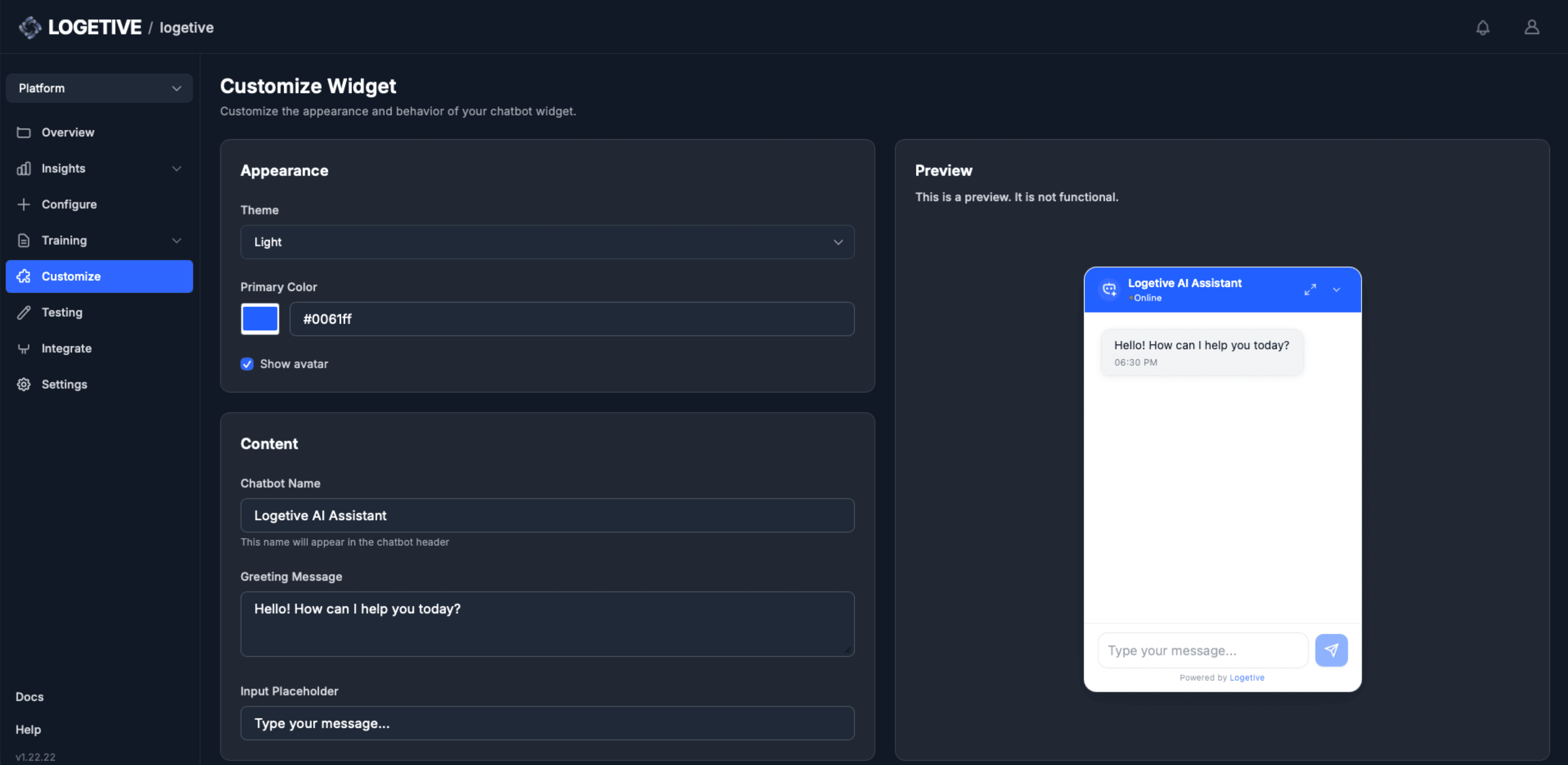
Theme selection
Choose light or dark theme so the widget matches your site aesthetic.
Greeting and placeholder
Edit the opening message and input placeholder text shown to visitors.
Avatar and name
Set the assistant name and choose whether to show or hide the avatar in the widget.
Free preview
Widget appearance is fully under your control per assistant, no lock-in.
Colour and position
Set primary colour and widget position on screen to match your layout.
Primary colour
Set the main colour for the widget, its buttons and key elements.
Test
Run conversations and tests in the dashboard
before you embed the widget on your site.
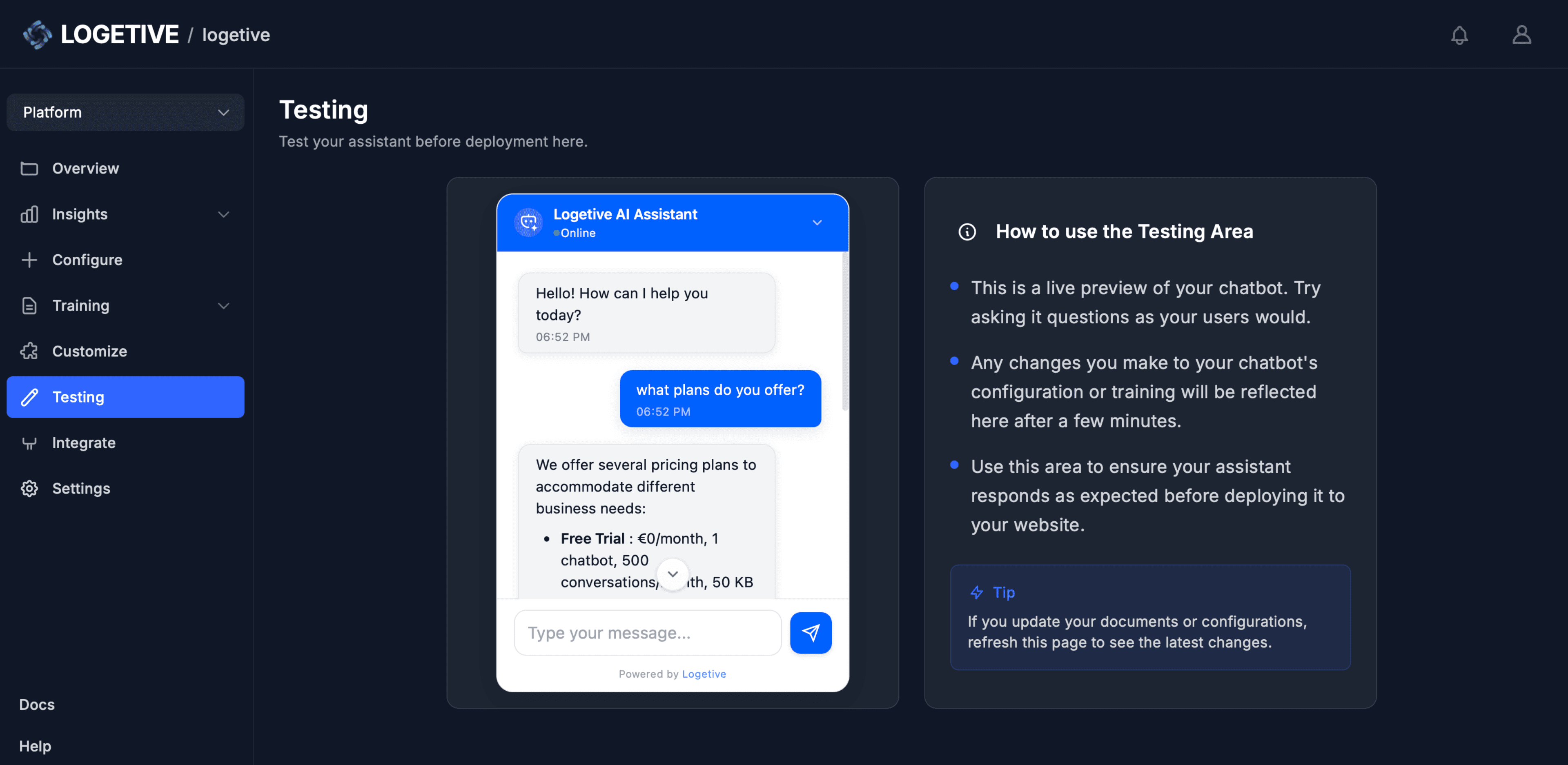
In-dashboard testing
Run full conversations in the dashboard before you deploy the widget live.
Pre-deploy validation
Confirm answers and behaviour before you add the snippet to your site.
Real conversation flow
Use the same chat interface your visitors will see when the widget is live.
Iterate quickly
Change training or config, then test again without redeploying the widget.
No embed required
Test thoroughly in the dashboard, no need to touch your site or embed yet.
Production parity
The test environment uses the same model and knowledge base as production.
Deploy
Add the provided snippet to your site. The assistant
is available on the domains you allow.
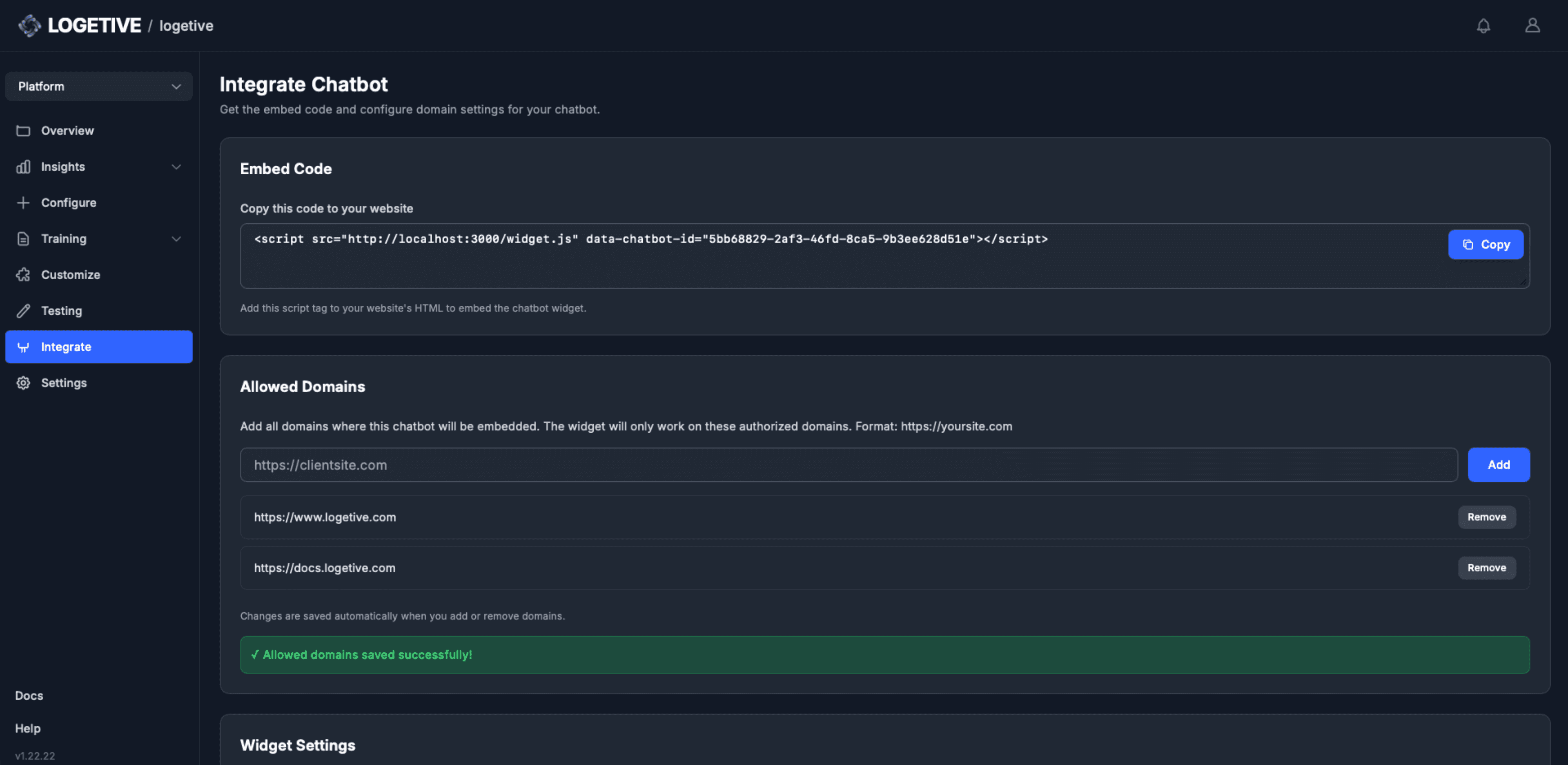
Single snippet
Paste one script snippet to your site, the widget loads automatically on load.
Allowed domains
Restrict where the widget runs, only listed domains can load and use it.
No backend needed
No server or API to host, the snippet talks to Logetive services directly.
Multiple domains
Add as many allowed domains as you need for your sites or customer apps.
Same snippet everywhere
Use the same snippet on every page or site you allow, one code, many places.
Go live when ready
Deploy only when you are satisfied with testing and configuration results.
Insights & Analytics
Volume, response times, accuracy scores and full conversation
logs. Filter by date and view trends.
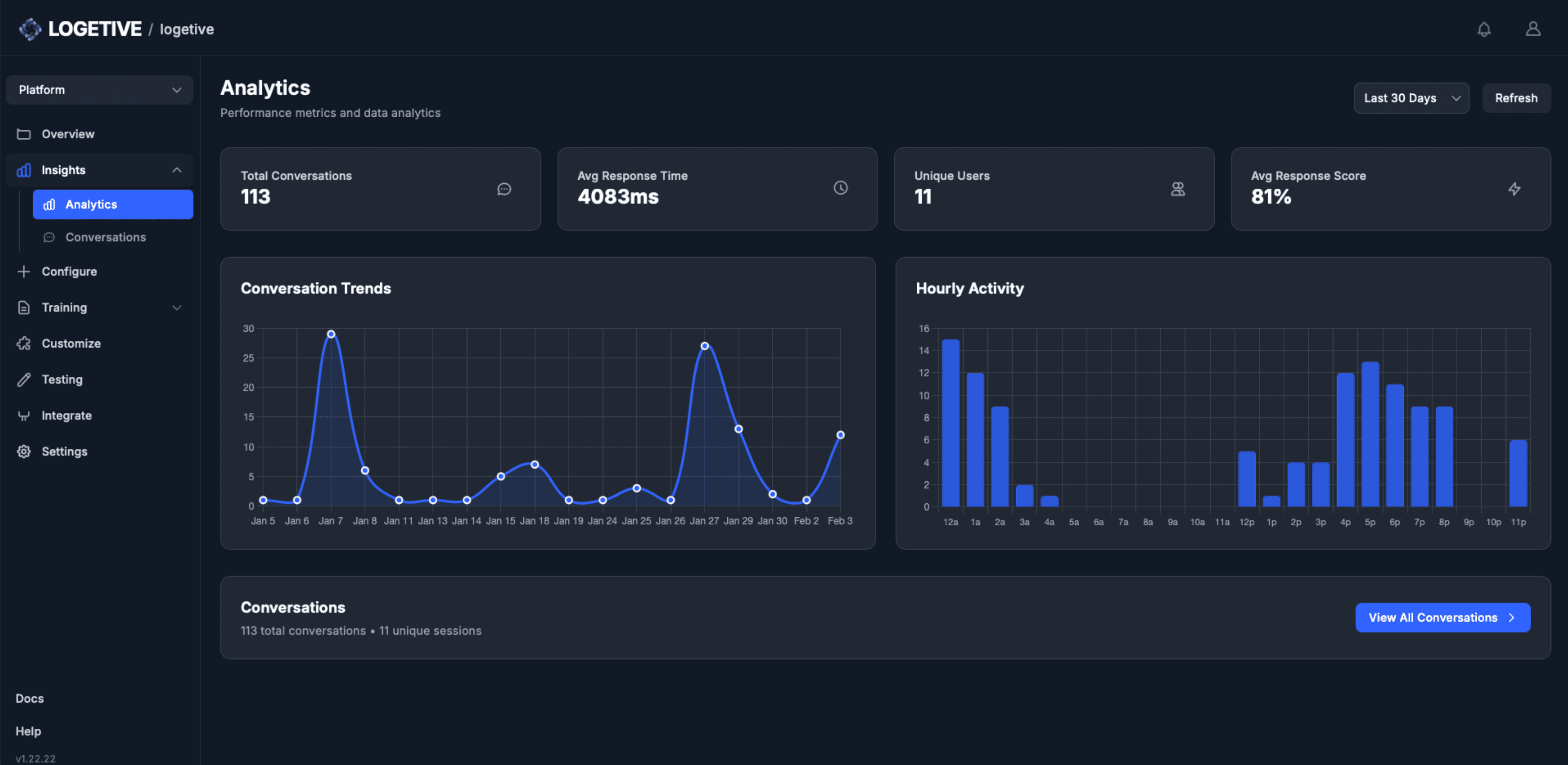
Response score
See per-conversation and aggregate quality score when available in data.
Response time metrics
View average and per-message response time in milliseconds in the dashboard.
Conversation volume
See total conversations and unique sessions per time range you select.
Full conversation logs
Every question and answer, grouped by session, drill into any conversation.
Date range filters
Filter analytics by last 24 hours, 7 days, 30 days or all time as needed.
Trends over time
Volume by day (line chart) and by hour (bar chart), filter by date range.
Semantic Map
Run semantic clustering on your indexed chunks. Topic clusters,
quality scores, and recommendations in one analysis run.
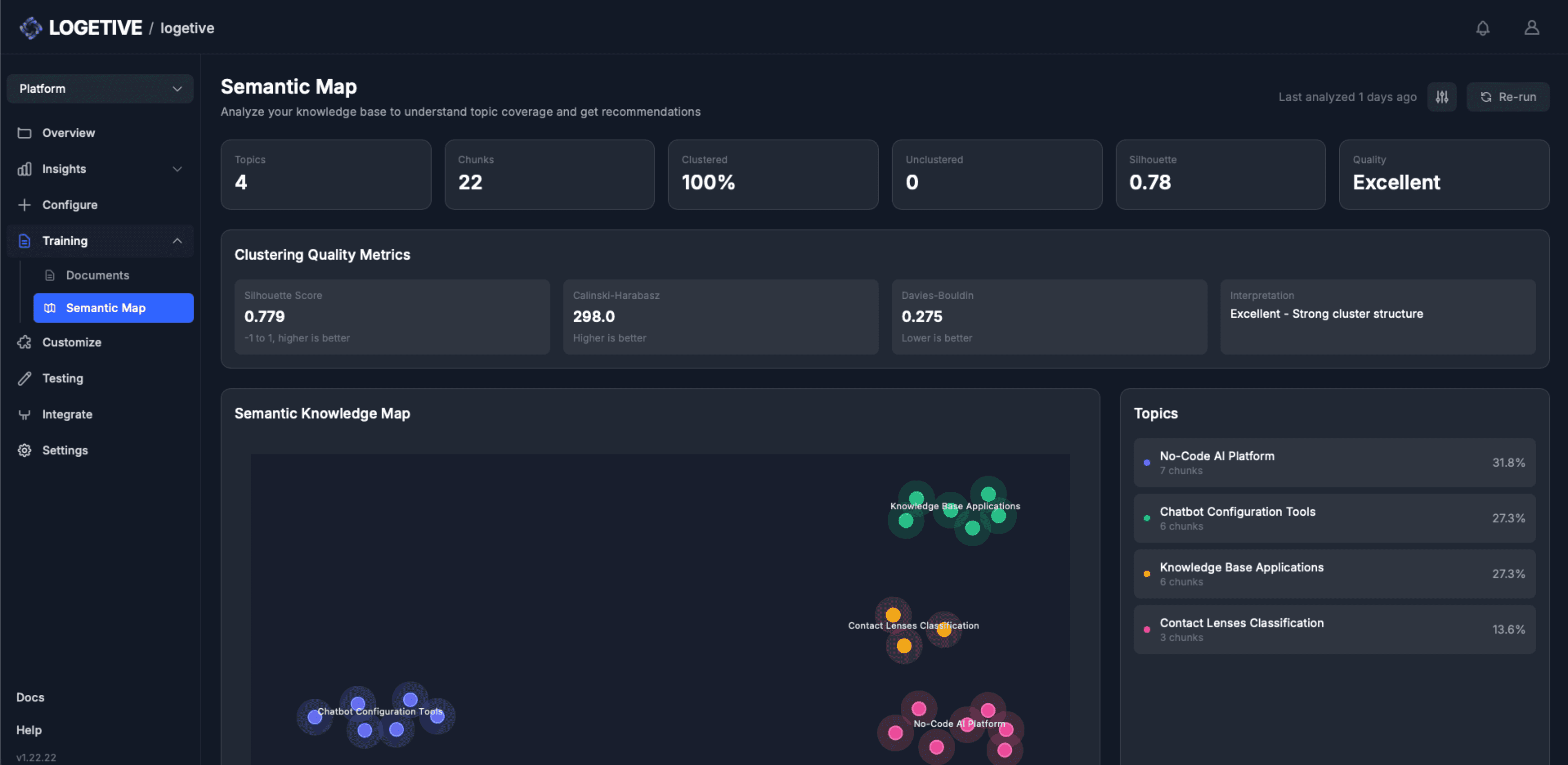
Interactive 2D map
Chunks projected by meaning, zoom, pan, and click points to inspect text.
Cluster quality scores
Silhouette, Calinski-Harabasz, Davies-Bouldin, score from excellent to poor.
Actionable recommendations
Coverage gaps, overlaps, and next steps with severity (high, medium, low).
Topic clusters
Chunks grouped by similarity, each cluster gets an AI-generated label.
Coverage metrics
Clustered percentage, unclustered count, and cluster count per run.
Tunable parameters
Min cluster size, neighbors, min samples, re-run with different settings.